
For most users this approach has several practical advantages. There is no need to search for installation files, download updates manually or worry about storage space. Opening the official website in Chrome, Safari or another supported browser provides access to the same account used on desktop, including casino games, sports betting, VIP Paradise, Yacht Club and payment tools.
This guide explains how the Lukki casino app experience works, how to access the platform from Android and iPhone devices, what features are available on mobile and how browser access compares with a traditional downloadable application.
| Mobile Overview | Details |
|---|---|
| Native Android app | Not promoted during our review |
| Native iPhone app | Not promoted during our review |
| Browser version | Fully supported |
| Casino games | Available |
| Live Casino | Available |
| Sportsbook | Available |
| Payments | Available |
| Currency | AUD supported |
| Yacht Club | Available |
| VIP Paradise | Available |
| Promotions | Available |
Is there a Lukki app?
During our review of the Australian website, we did not find a dedicated Lukki application promoted for Android or iPhone. Instead, the platform directs users towards the browser version, which automatically adapts to smartphones and tablets.
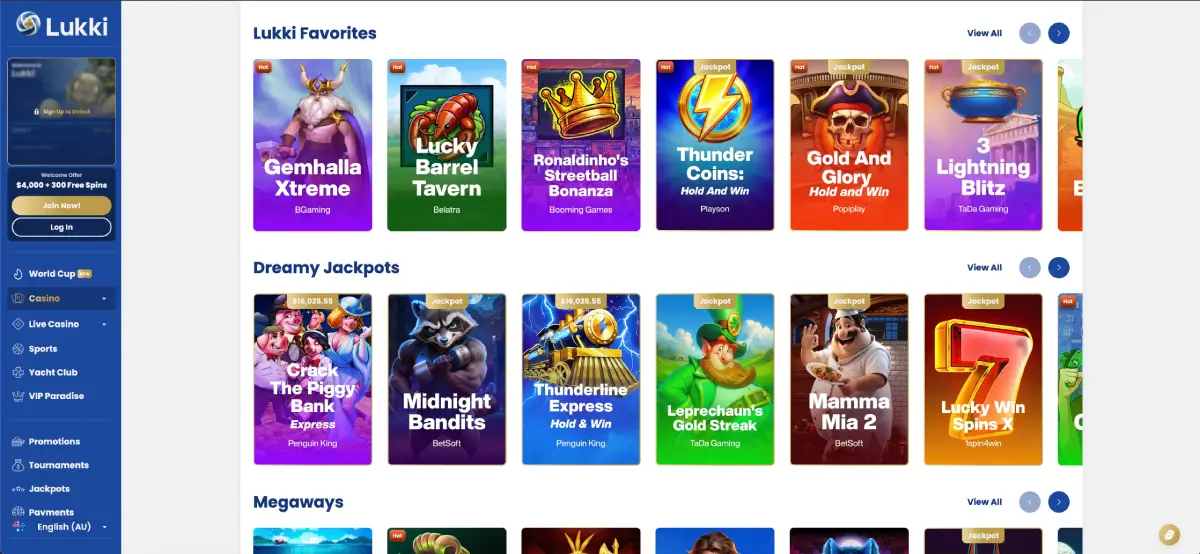
This means Australian players do not need to install APK files or search the Apple App Store before accessing their account. The same website used on desktop can also be opened on a mobile device using a compatible browser.
The browser version includes access to:
- Casino.
- Live Casino.
- Sports.
- Jackpots.
- Promotions.
- Tournaments.
- Yacht Club.
- VIP Paradise.
- Payments.
How to access Lukki on Android
Android users can access Lukki directly from their preferred browser without installing additional software.
- Open Chrome or another supported browser.
- Visit the official Lukki website.
- Select Log In or Sign Up.
- Enter your account credentials.
- Start browsing casino games or sports betting.
During testing, navigation remained responsive while moving between Slots, Live Casino, Sports and Promotions. The responsive layout automatically adjusted menus for smaller screens without removing important account functions.
How to access Lukki on iPhone and iPad
Apple users follow a nearly identical process. Safari automatically loads the mobile version of the website while preserving the same account functions available on desktop.
- Open Safari.
- Visit Lukki.com.
- Log in using your registered account.
- Access casino games, live dealer tables or sportsbook.
No separate iOS installation was required during our review.
Adding Lukki to the home screen
Although a native application was not promoted, smartphone users can still create a shortcut that behaves similarly to an installed application.
iPhone (Safari)
- Open Lukki in Safari.
- Select the Share button.
- Choose Add to Home Screen.
- Confirm the shortcut.
Android (Chrome)
- Open Lukki in Chrome.
- Open the browser menu.
- Select Add to Home Screen.
- Confirm the shortcut.
This creates a quick-access icon without requiring installation of a dedicated application.
Features available on mobile
During our testing, the browser version of Lukki casino online provided access to the same core products available on desktop. The interface automatically adjusted to smaller displays while preserving navigation between casino games, live dealer tables, sportsbook, promotions and account settings.
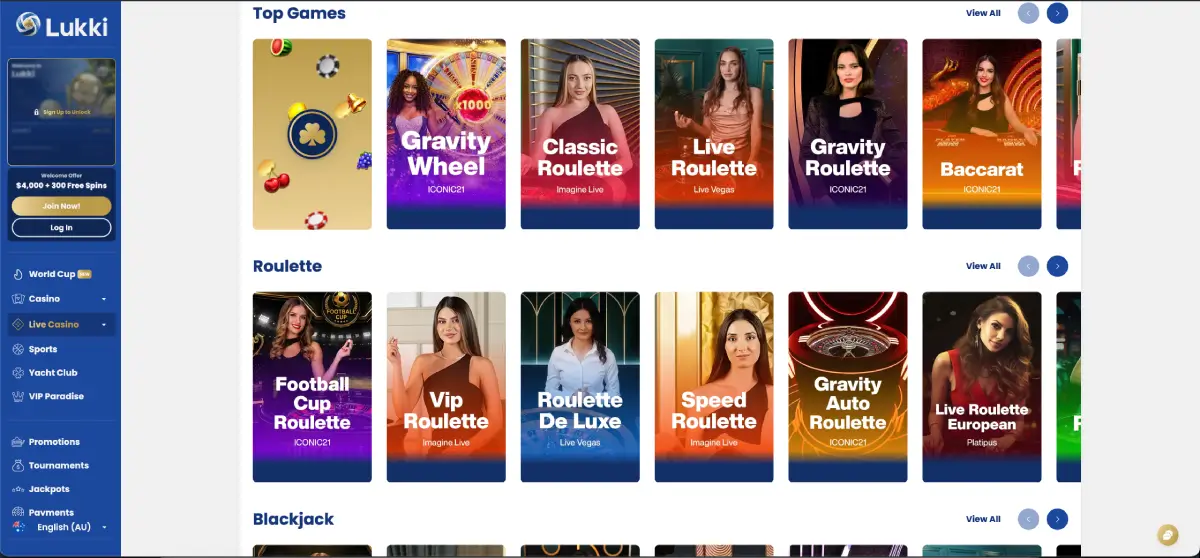
Rather than removing functionality for mobile users, Lukki keeps the major sections connected through the same account. Players can therefore move between casino games and sports betting without changing devices or signing in again.
- Casino: complete slot lobby with provider filters and game categories.
- Live Casino: streamed roulette, blackjack, baccarat and additional live tables.
- Sports: pre-match betting, live betting and featured competitions.
- Jackpots: progressive jackpot collections.
- Promotions: welcome package, tournaments and Prize Drops.
- Payments: deposits, withdrawals and cashier management.
- Yacht Club: loyalty progression.
- VIP Paradise: premium membership information.
Because the same account is used across desktop and mobile, balances, promotions and account settings remain synchronised automatically.
Casino games on mobile
The mobile casino lobby follows the same structure as the desktop version. During our review we could browse the various game collections without needing a separate mobile interface.
Visible slot categories included:
- New Games
- Lukki Favorites
- Dreamy Jackpots
- Megaways
- Roulette
- Blackjack
Games displayed during our testing included:
- Imperial Express Hold & Win
- Lightning Cash Strike
- Lucky Cerol 500
- Freedom Fortune Hold & Win
- Gemhalla Xtreme
- Lucky Barrel Tavern
- Ronaldinho's Streetball Bonanza
- Thunder Coins Hold & Win
- Gold and Glory Hold & Win
- 3 Lightning Blitz
The provider filters remained accessible, making it possible to browse games from different software developers without returning to the desktop version.
Live Casino on smartphones
Live dealer games are fully integrated into the mobile website. During our review, the Live Casino section displayed multiple providers together with dedicated categories for roulette, blackjack and baccarat.
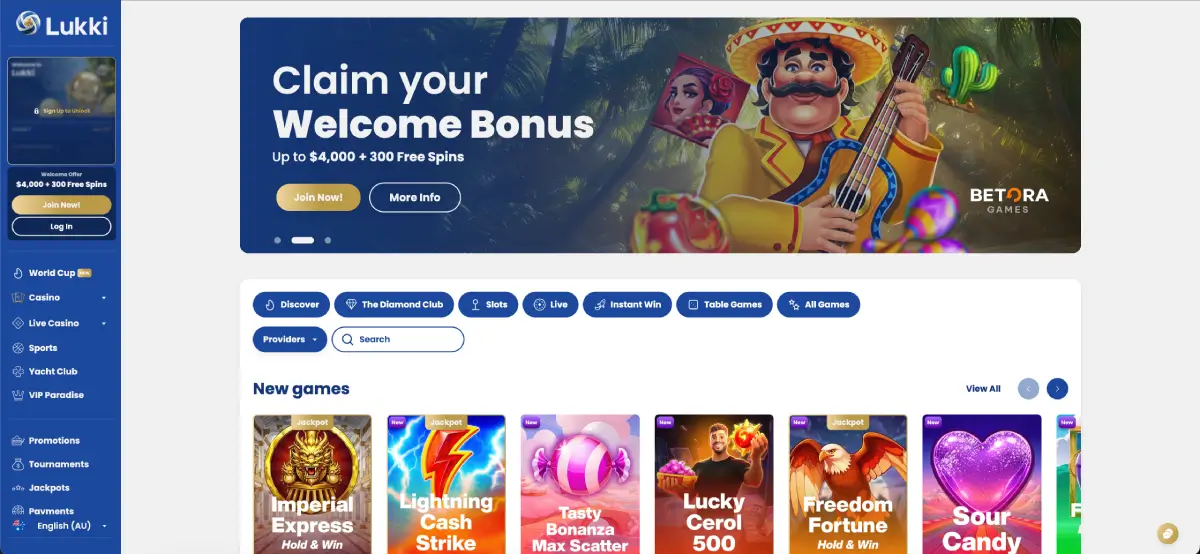
Among the tables visible during testing were:
- Classic Roulette
- Live Roulette
- Football Cup Roulette
- Gravity Roulette
- VIP Roulette
- Baccarat
The responsive interface allows players to switch between tables without leaving the mobile environment, while the same account balance remains available across every gaming category.
Sports betting on mobile
The sportsbook adapts particularly well to smartphones because the navigation is organised into collapsible menus rather than large desktop panels. During our review we could browse featured competitions, live events and betting markets comfortably from the mobile layout.
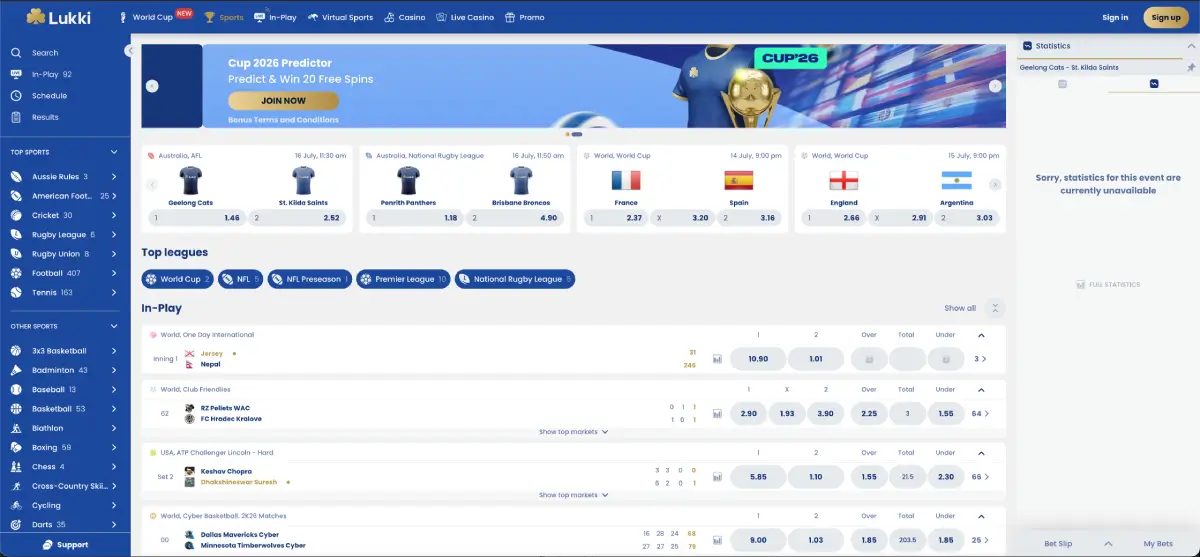
Sports available included:
- AFL
- NRL
- Cricket
- Football
- Tennis
- Basketball
- Baseball
- American Football
- Rugby League
- Rugby Union
The betting slip remains available while navigating between events, allowing selections to be reviewed before confirming a wager.
Payments from mobile devices
Australian users can also manage their finances directly from the mobile browser. During testing, the Payments section remained fully functional and allowed access to both deposits and withdrawals.
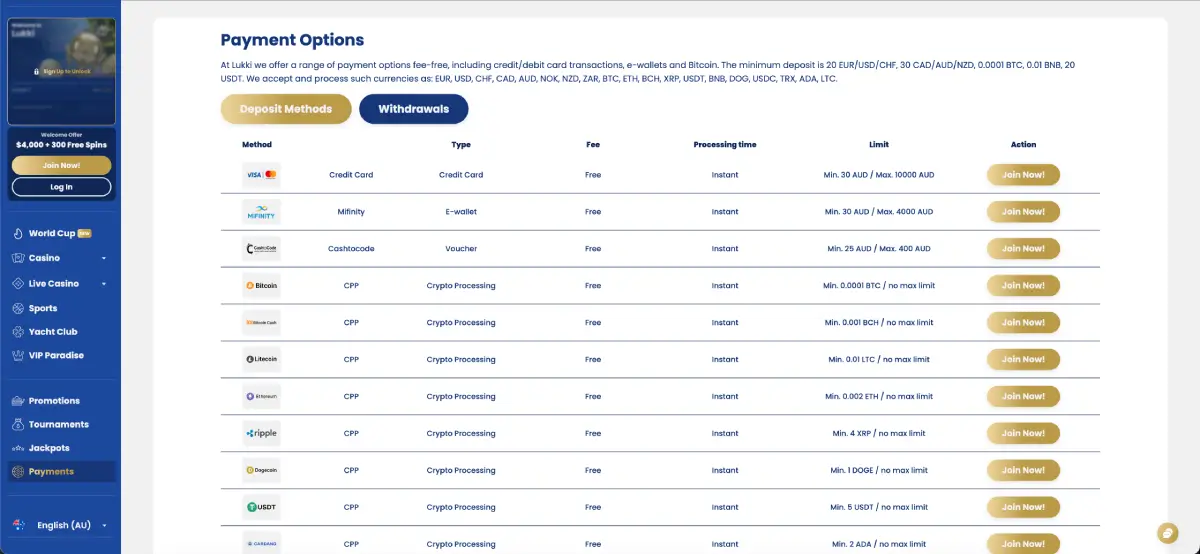
Available payment methods included cards, e-wallets and cryptocurrencies, with the same limits displayed as on desktop. This means users can deposit funds, request withdrawals and review payment history without switching to another device.
| Mobile Feature | Available |
|---|---|
| Deposits | Yes |
| Withdrawals | Yes |
| Promotion activation | Yes |
| Sports betting | Yes |
| Live Casino | Yes |
| Jackpots | Yes |
Mobile performance
During our testing, navigation between the major sections remained responsive. The homepage banners, casino categories, promotions and sportsbook all adapted to smaller displays without requiring separate downloads or additional plugins.
Changing between Casino, Live Casino, Sports, Promotions, Payments and Yacht Club required only a few taps, while account information remained synchronised throughout the browsing session.
Because Lukki uses a browser-based platform, updates become available automatically after refreshing the website. Users do not need to download patches or wait for application updates to access the latest interface changes.
Security when using Lukki on mobile
Using the mobile version of Lukki casino AU is convenient, but account security remains just as important as it is on desktop. During our review, the same account credentials were used across every supported device, meaning anyone with access to your login details could potentially access your casino balance, payment methods and personal information.
For this reason, Australian players should treat mobile devices with the same level of care they would use for online banking or other financial services.
Recommended mobile security practices
- Only access Lukki through the official website.
- Bookmark the correct website after confirming the address.
- Use a unique password for your Lukki account.
- Protect your smartphone with Face ID, fingerprint recognition or a PIN.
- Avoid logging in through public Wi-Fi whenever possible.
- Log out after using another person's device.
- Keep your browser and operating system updated.
- Never share your password through email or messaging applications.
Most account security incidents occur because login credentials have been compromised rather than because of problems with the casino platform itself.
Advantages of browser access compared with a native app
Some users specifically search for a downloadable application, but browser-based access also provides several practical benefits.
| Browser Version | Benefit |
|---|---|
| No installation | No APK or App Store download required. |
| Automatic updates | The latest version loads automatically after refreshing the page. |
| Storage | No application storage space required. |
| Single account | Desktop and mobile remain synchronised. |
| Accessibility | Available from most modern browsers. |
| Payments | Deposit and withdrawal tools remain available. |
For many Australian players, these advantages outweigh the absence of a dedicated mobile application because the browser version already includes the same core gaming and account-management functions.
Things to consider before using Lukki on mobile
- A stable internet connection improves the experience when playing live dealer games.
- Battery usage may increase during extended live casino sessions.
- Cryptocurrency wallet addresses should always be checked carefully before confirming withdrawals.
- Landscape mode may provide a more comfortable experience for some live dealer tables.
- Closing the browser does not always log you out automatically.
- Keep your mobile browser updated for the best compatibility.
Players planning long gaming sessions may also find it useful to connect to Wi-Fi and keep their device charged, particularly when streaming live dealer tables or following in-play sporting events.
Responsible mobile gaming
Because smartphones make casino games and sports betting available almost anywhere, setting personal limits becomes even more important. Mobile convenience should not encourage longer playing sessions than originally planned.
Many players find it useful to decide both a budget and a playing time before opening the website. Taking regular breaks also helps maintain control during extended sessions involving slots, live casino games or in-play betting.
Summary
The Lukki app experience is centred around a fully featured browser version rather than a downloadable Android or iPhone application. During our testing, the mobile website provided access to casino games, live dealer tables, sportsbook, promotions, jackpots, Yacht Club, VIP Paradise and payment management without requiring additional software.
For Australian users, the browser approach offers several practical benefits, including automatic updates, no installation requirements and synchronised account access across desktop and mobile devices. Combined with support for AUD accounts, responsive navigation and access to the complete Lukki product range, the mobile platform delivers nearly the same functionality as the desktop website.
Frequently Asked Questions
Does Lukki have an Android app?
During our review, we did not find a dedicated Android application promoted for Australian players. Instead, Lukki provides a responsive browser version.
Can I use Lukki on my iPhone?
Yes. The website works through Safari and other supported mobile browsers without requiring a separate iOS application.
Can I deposit and withdraw from my phone?
Yes. The mobile browser includes access to the Payments section, allowing users to manage both deposits and withdrawals.
Can I play live casino games on mobile?
Yes. Live Roulette, Blackjack, Baccarat and other streamed tables remain available through the browser version.
Does the mobile version support sports betting?
Yes. Australian users can access AFL, NRL, cricket, football, tennis and many other sports through the mobile sportsbook.
Do I need to install software?
No. During our review, all major features were available directly through a supported web browser.
Can I add Lukki to my home screen?
Yes. Android and iPhone users can create a browser shortcut that provides quick access to the website without installing a native application.